
You'd think buying a 14-inch laptop bag would be simple. Pick one that says "14 inches" on the label and move on. But if you've ever slid your laptop into a sleeve that's either too tight to zip or so loose it slides around inside, you know the label alone doesn't tell the full story.
Our guide covers how to actually measure fit, what to look for in a 14-inch laptop bag, and how to choose between a sleeve and a backpack based on how you carry your device every day.
Does a "14-Inch" Laptop Bag Actually Fit Every 14-Inch Laptop?
Not always. And this is where most people get it wrong.
Screen size is not body size
The "14 inches" on your laptop refers to the diagonal measurement of the screen, not the outer dimensions of the device. Two laptops with a 14-inch screen can have very different body sizes depending on the bezel width, chassis material, and thickness.
A MacBook Pro 14 (2023 onward) measures roughly 31.26 x 22.12 x 1.55 cm. A Dell Latitude 14 is closer to 32.1 x 21.3 x 1.79 cm. An HP Pavilion 14 comes in at about 32.4 x 22.6 x 1.79 cm. Those differences of a centimeter or two matter when padding is involved.
How to measure before you buy
Measure three things on your actual laptop (not from a spec sheet, since those often-round numbers):
-
Length: The horizontal edge when the laptop is open.
-
Width: The vertical edge (front to back) when closed.
-
Thickness: How tall the device sits when closed, including any rubber feet.
Compare these against the internal dimensions of the bag, not the external ones. A bag that's 35 cm on the outside might only be 33 cm on the inside once your account for padding. If your laptop fits with less than half a centimetre of clearance on each side, the padding can actually do its job.
What Should You Look for in a 14 Inch Laptop Bag?
Padding that actually absorbs impact
The whole point of a laptop bag is protection. A single layer of thin foam won't save your device from a drop onto a metro station floor. Look for multi-layer padding, or at minimum a dense foam lining on all sides including the base. The interior should be a soft, non-abrasive material (fleece, microfibre, or velvet) that won't scratch aluminium or plastic chassis.
Snug fit without force
Your laptop should slide in smoothly but not rattle around once it's inside. Too tight and you'll struggle with insertion, risk bending the lid, or cause the zipper to press against the chassis. Too loose and the device shifts during movement, making the padding useless. The best 14 inch laptop bags are designed to hold the device with minimal play on all sides.
Water-resistant exterior
A splash of chai, a sudden drizzle walking from the parking lot, a leaking water bottle in your backpack. These things happen daily. Water-resistant fabric on the outer shell buys you time to react before moisture reaches your laptop. It's not the same as waterproof (which would require sealed seams and waterproof zippers), but it handles the most common real-world scenarios.
Accessory space that doesn't bulk up the bag
Most people carry a charger, a mouse, maybe a couple of cables alongside their laptop. A 14 inch laptop bag with one or two small pockets for these items saves you from carrying a second pouch. But the pockets shouldn't add so much bulk that the slim sleeve becomes a chunky briefcase.
Do You Need a Laptop Sleeve, a Laptop Backpack, or Both?
This depends entirely on how you move through your day.
When a sleeve is enough
If your laptop lives inside a larger bag most of the time, like an everyday backpack or a tote, a standalone sleeve gives your device a dedicated padded layer without adding many bulk. It also works on its own for short trips: home to café, desk to meeting room, bed to couch.
A sleeve is also the right call if you already own a backpack with a laptop compartment but want extra scratch and bump protection inside that compartment. The sleeve goes inside the bag, your laptop goes inside the sleeve. Two layers of protection, one compact package.
When a backpack makes more sense
If you carry your laptop along with books, a water bottle, lunch, a change of clothes, or camera gear, a sleeve alone won't cut it. You need a backpack with a built-in padded laptop compartment that keeps your device isolated from everything else in the bag.
For 14-inch laptops specifically, most 20 to 25 litre everyday backpacks will have a compartment that fits your device. The HOBO25 rolltop backpack fits laptops up to 16 inches in a dedicated rear compartment, so a 14-inch device sits in it with room to spare. The Mojo V2 laptop backpack is another option built specifically around laptop carry.
When you need both
If your week involves some days carrying just a laptop to a meeting and other days packing a full bag for work or travel, owning a sleeve that fits inside your backpack gives you the flexibility to do both. Use the sleeve standalone on light days. Slide it into the backpack on heavy days. Your laptop stays protected in both scenarios without buying two completely separate systems.
Which 14-Inch Laptops Fit the Most Common Bag Sizes?
Here's a quick compatibility check for popular 14-inch laptops and how they match up with standard sleeve sizes.
- MacBook Pro 14 (M3/M4): 31.26 x 22.12 x 1.55 cm. Fits comfortably in a 14-inch sleeve. Thin enough that most padded sleeves have room to spare on thickness.
- Dell XPS 14: 31.84 x 22.65 x 1.78 cm. Slightly wider than the MacBook Pro. Still fits a 14-inch sleeve, but check the internal width if the bag's padding is thick.
- HP Pavilion 14: 32.4 x 22.6 x 1.79 cm. One of the larger 14-inch chassis. A tight fit in some 14-inch sleeves. If you're between sizes, sizing up to a 15.6-inch sleeve with a snug fit is safer than forcing it into a 14-inch bag.
- Lenovo ThinkPad T14: 31.73 x 22.27 x 1.77 cm. Middle of the pack. Fits standard 14-inch bags without issue.
- Asus VivoBook 14: Varies by year, but most models land around 32.5 x 22.7 x 1.8 cm. Similar to the HP Pavilion: check internal dimensions before buying.
The general rule: if your laptop's longest edge is under 32 cm and thickness is under 1.8 cm, a well-designed 14-inch sleeve will fit. If it exceeds either number, look at 15.6-inch options.
The CarryPro PRO Laptop Sleeve: Built for This
If you're looking for a 14 inch laptop bag that gets the fundamentals right without overcomplicating things, the CarryPro PRO Laptop Sleeve is designed for exactly this use case.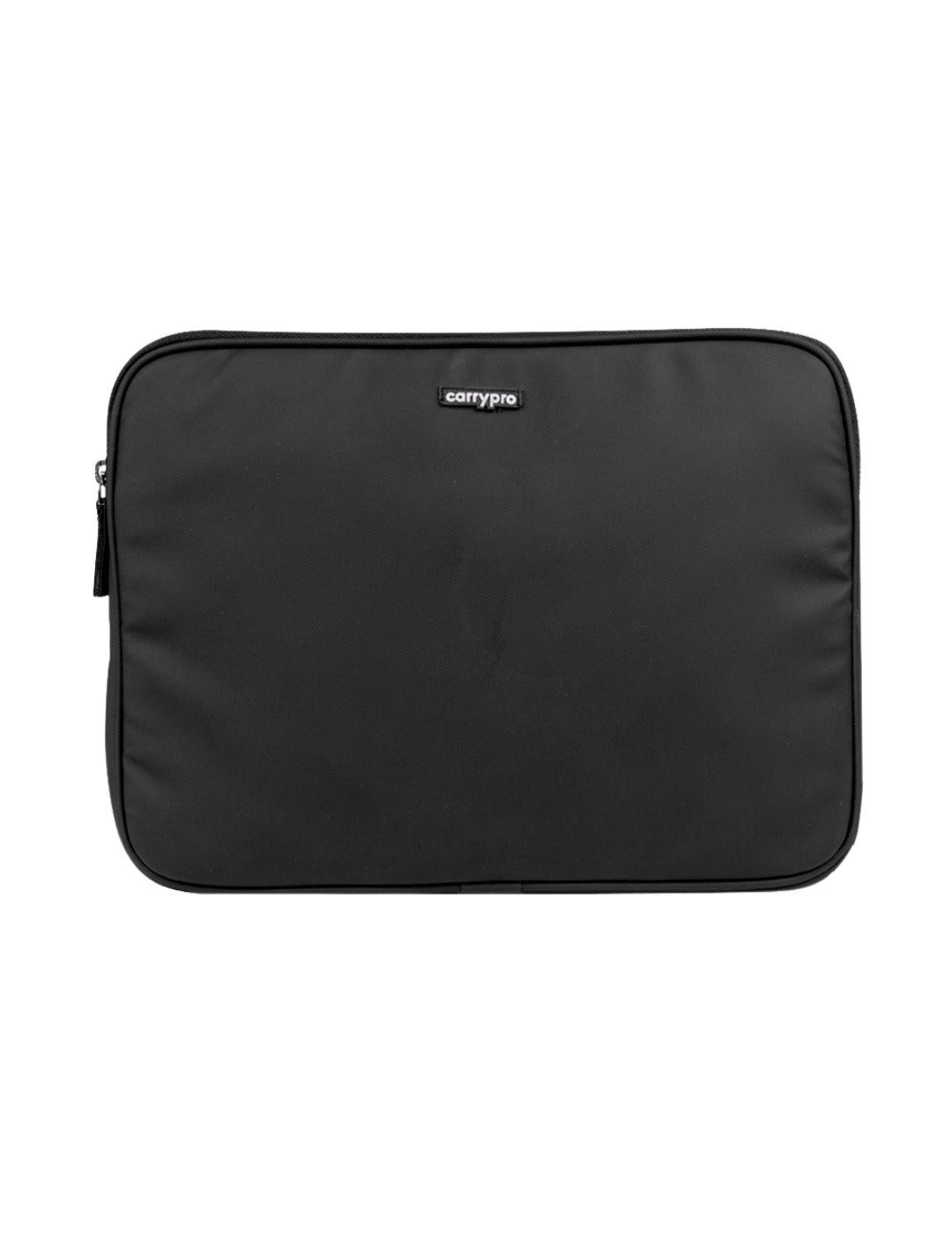
What's inside
Dense multi-layer padding on all sides with a soft interior lining that won't scratch your MacBook, Dell, HP, or Lenovo chassis. Snug fit for laptops up to 14 inches. Accessory pocket for a charger and cables. Water-resistant exterior fabric. Clean, professional look in four colourways: Midnight Black, Olive Green, Peanut Grey, and Deep Grey.
Rs. 999. See the full details here.
If your laptop is closer to 15 or 15.6 inches, the PRO Laptop Sleeve 15.6" offers the same build in a larger size for Rs. 1,099. And if you need a full backpack with a dedicated 14-inch laptop compartment, the Mojo V2 and HOBO25 both handle it.
Browse all accessories or explore the full range.
FAQs
Can I put a 14-inch laptop in a 15.6-inch sleeve?
Yes, but the fit will be loose. Your laptop may slide inside the sleeve during movement, which reduces the padding's effectiveness. If you go up a size, look for a sleeve with an internal strap or snug-fit design that holds the device in place.
Is a hard-shell case better than a padded sleeve?
Hard-shell cases offer superior drop protection but add significant weight and bulk. For daily commuting and light travel, a padded sleeve strikes a better balance between protection and portability.
Should I buy a sleeve if my backpack already has a laptop compartment?
If your backpack's laptop compartment is well-padded and fits your device snugly, a separate sleeve is optional. If the compartment is loose or shares space with other items, a sleeve adds a valuable second layer of protection.