

A corrupted SD card does not send a warning. A stolen backpack does not wait for you to upload last night's footage. A full phone with no storage left does not care that the light over the Ganges is perfect right now. Data loss on the road is not a technical problem. It is a content problem. Every file lost is a video that cannot be re-shot, a podcast episode that cannot be re-recorded, and a photo set that existed for one moment in one place.
The 3-2-1 backup rule exists because one copy of anything is the same as no copies at all. Our guide covers the rule, the gear that makes it portable, and how to build a daily backup habit that takes less time than brushing your teeth.
What the 3-2-1 rule means for creators on the road
The 3-2-1 rule is the industry standard for data protection. It applies to photographers, videographers, podcasters, and anyone whose livelihood depends on files that cannot be recreated.
Three copies, two media types, one offsite
Three copies of every important file. Two of those copies on different physical media, such as an SD card and a portable SSD. One copy stored offsite, which for a travelling creator usually means cloud storage.
The reason for three copies is probability. A single storage device has a failure rate. Two devices cut that risk sharply. Three copies on different media make total data loss almost impossible unless all three fail simultaneously.
How this translates to a travel workflow
On the road, the three copies look like this. Copy one lives on the SD card inside the camera. Copy two lives on a portable SSD inside a tech pouch in your bag. Copy three uploads to cloud storage overnight using hotel or hostel Wi-Fi.
This daily habit takes 15 to 20 minutes and protects everything you shot that day against theft, device failure, and accidental deletion.
The gear that makes backup portable
A travel backup system needs to be light, fast, and durable enough to survive Indian bus rides and monsoon humidity.
SD cards: your first line of defence
Carry at least two high-speed SD cards (UHS-II, V60 or V90 rated). Rotate them daily. When card one fills up and gets backed up to the SSD, switch to card two. Never format a card until its contents exist on at least two other devices.
For creators shooting 4K video, a 256 GB card holds approximately 4 to 6 hours of footage depending on bitrate. Two cards of this size cover most shooting days without needing to swap mid-shoot.
Portable SSD: your working drive
A 1 TB portable SSD weighs under 100 grams and fits inside any tech pouch. The Samsung T7 Shield and SanDisk Extreme are both drop-tested and water-resistant, which matters when the bag gets thrown around on trains and tuk-tuks.
Transfer speeds of 1,000 MB/s mean a full 256 GB SD card copies to the SSD in under five minutes. Do this transfer the moment you return to your accommodation, before dinner, before editing, before anything else. The transfer is the single most important habit in a travel backup system.
Keep the SSD in a separate compartment from the camera and SD cards. If the bag is stolen, having the backup in a different pocket means the files survive even if the camera does not.
Cloud storage: your offsite safety net
Upload the day's files to cloud storage every night. Google One, iCloud, and Backblaze B2 all work. The choice depends on your storage size and budget.
Indian hotel and hostel Wi-Fi varies wildly. In cities like Bangalore, Jaipur, and Kochi, upload speeds handle 10 to 20 GB overnight. In remote areas like Spiti or rural Meghalaya, connectivity drops to near zero. On those days, the SSD becomes your only backup until you reach a faster connection.
A realistic approach is to upload selects (the best 20 to 30 files from each day) rather than the entire raw shoot. This reduces upload volume to 2 to 5 GB per day, which most Indian city connections handle within an hour.
Where backup gear lives inside the bag
Backup gear takes up almost no space when organised properly. The key is keeping it accessible so the daily transfer habit does not feel like a chore.
Inside a camera backpack
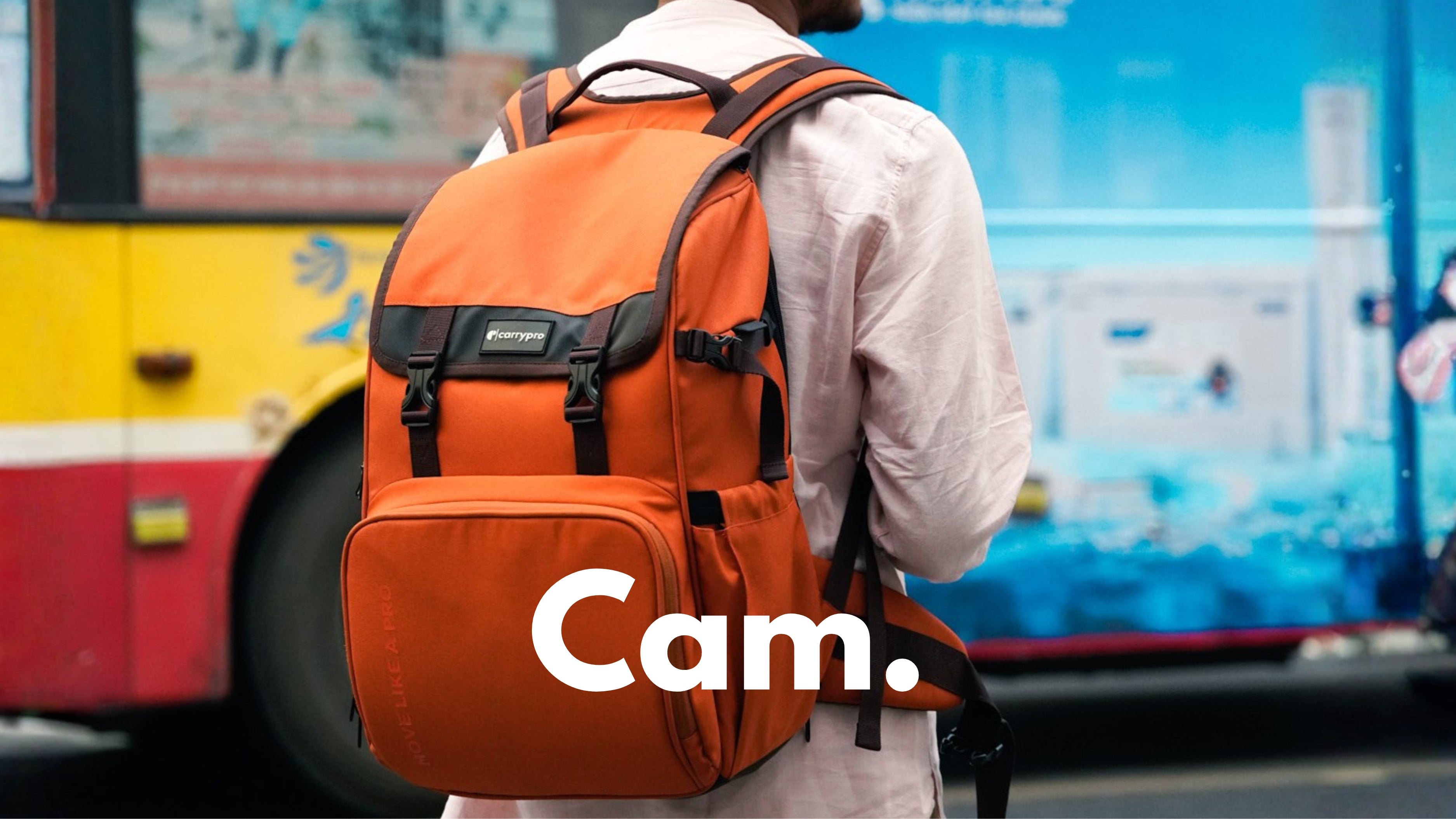
In the Pango V2.0, the SSD and a card reader sit in the front organiser pocket alongside cables and spare batteries. SD cards go in the small zip pocket on the hip belt or in a dedicated card wallet inside the lid. The laptop compartment holds the editing machine for evening work.
This layout means the backup workflow never requires unpacking the main compartment. Pull the SSD from the front, connect the card reader, transfer, and stow everything back in three minutes.
Inside a travel backpack
For creators who carry a HOBO40 V2.0 instead of a dedicated camera bag, the SSD and card reader fit inside a small tech organiser pouch in the front pocket. Keep the pouch with cables and chargers so everything tech-related lives in one place.
Common mistakes that cost creators their footage
The backup system only works if you use it daily. These are the mistakes that turn a reliable workflow into a data loss story.
Formatting cards before verifying the backup
Never format an SD card until the files exist on at least two other devices. The instinct to clear the card for tomorrow's shoot is strong, but formatting before verification means one failed transfer erases the only copy.
Keeping the SSD and camera in the same bag pocket
If the bag is lost or stolen, both copies vanish together. The SSD goes in a different compartment or in a sling bag worn on your body during transit.
Skipping backup on tired nights
The nights you are most exhausted are the nights you shot the most. Those are the days with the most footage at risk. Make the transfer a non-negotiable step, like locking the door or charging the phone. Fifteen minutes of copying tonight prevents a lifetime of regret tomorrow.
For a deeper look at organising all your tech gear for travel, the digital nomad backpack setup covers the full cable and device workflow.
Your footage is worth more than your gear
Cameras and lenses can be replaced. Insurance covers theft. But the golden hour shoot in Varanasi, the street food reel in Old Delhi, and the sunrise timelapse over Pangong Tso exist once. Protect them the way they deserve.
Three copies. Two media types. One offsite. Every night. No exceptions.
Frequently asked questions
How many SD cards should a travel creator carry?
At least two, ideally three. Rotate daily so a filled card gets backed up while the fresh one goes into the camera. Never carry all cards in the same pocket or bag.
What size portable SSD do I need for a two-week trip?
A 1 TB SSD covers two weeks of mixed photo and video shooting comfortably. If you shoot 4K video daily, consider 2 TB to avoid running out of space before the trip ends.
Can I use a phone as a backup device?
As a temporary copy, yes. Transfer photos via a card reader or Wi-Fi transfer app. But phone storage fills quickly with 4K video, so the phone works best as an intermediate step before cloud upload, not as a primary backup.
Is cloud backup reliable in rural India?
Not consistently. Spiti, Ladakh, and parts of Northeast India have limited or no connectivity. Use cloud as the offsite layer and rely on the SSD as the primary backup in remote areas. Upload selects when you reach a city with fast Wi-Fi.
How do I protect an SSD from humidity in India?
Store it inside a zippered pouch with a silica gel packet. Keep the pouch in an interior compartment of the bag, away from rain-exposed pockets. Avoid leaving it in direct sunlight inside a parked car.
What happens if my SSD fails during a trip?
If the original files still exist on the SD card, nothing is lost. This is why you never format the card before verifying the SSD transfer. Carry a second lightweight SSD or an external HDD as redundancy if your trip exceeds two weeks.